Always current
Update your published details while your permanent account link and QR remain the same.
Digital business card app
Create professional cards for every role, update them without reprinting, and share one clean profile through a permanent QR code, link, or NFC product.
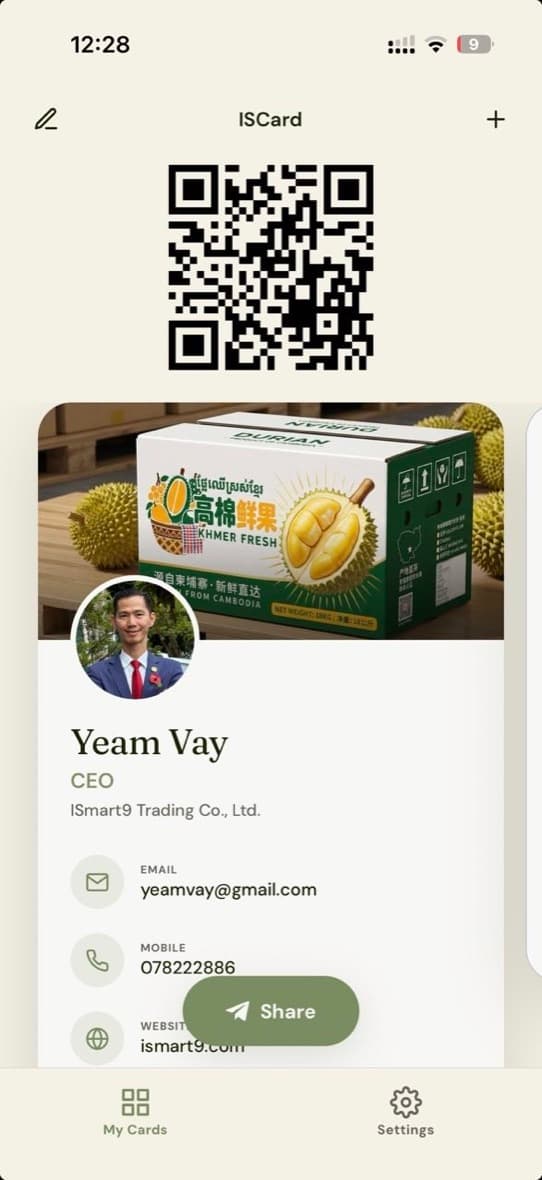 One permanent QR
The simple definition
A digital business card is a web-based professional profile that replaces or complements a printed card. Instead of handing over a fixed piece of paper, you share a live page containing the contact details and links you choose.
With ISCard, the card owner manages details in the mobile app. The person receiving the card opens it in a browser, so a meeting does not turn into an app-install request.
Why it works
Update your published details while your permanent account link and QR remain the same.
Keep personal, company, project, and specialist cards together instead of forcing one identity into one layout.
Your recipient opens a responsive web card and can call, email, visit links, or save your contact.
How to make a digital business card
Download ISCard on iPhone or Android and set up the professional identity you want to share.
Add your name, role, company, contact methods, images, social profiles, and the links that matter.
Use your profile link, permanent QR code, or NFC product. Keep improving the card without changing how people reach it.
Digital versus paper
Frequently asked questions
A digital business card is a mobile-friendly contact profile you share by link, QR code, or NFC tap. It can include your name, role, company, contact details, social profiles, and selected products or services.
No. A published ISCard opens in the recipient’s web browser, where they can view your details, contact you, and save your contact information.
Yes. You can update your published details while keeping the same account link and permanent QR code, so ordinary edits do not require a new printed QR.
Yes. ISCard supports multiple cards in one account for different roles, companies, projects, or professional identities.
Share your clean profile link, show the permanent QR code from your phone, place the QR on printed material, or connect a compatible NFC product to the same public destination.
Yes. ISCard is available through the Apple App Store and Google Play, while recipients can view published cards in a modern web browser.
One QR. Every card.
Build in the ISCard app. Share with anyone through the web.